Control Console

ROV Controller

The industry-standard control console NextNusa participants use for piloting, system monitoring, and operating the ROV manipulator — introducing the same control layout and logic used offshore.

What Is the ROV Controller

The ROV Controller is a complete control system made up of a piloting joystick, a physical button panel for support systems, and a HUD monitor that displays ROV status and telemetry in real time. Participants use this console both when training on the PaleBlue ROV Trainer and during hands-on practice with the BlueROV2.

The control layout follows industry standards, so the competency participants gain operating this console transfers directly to work-class ROV units in the field.
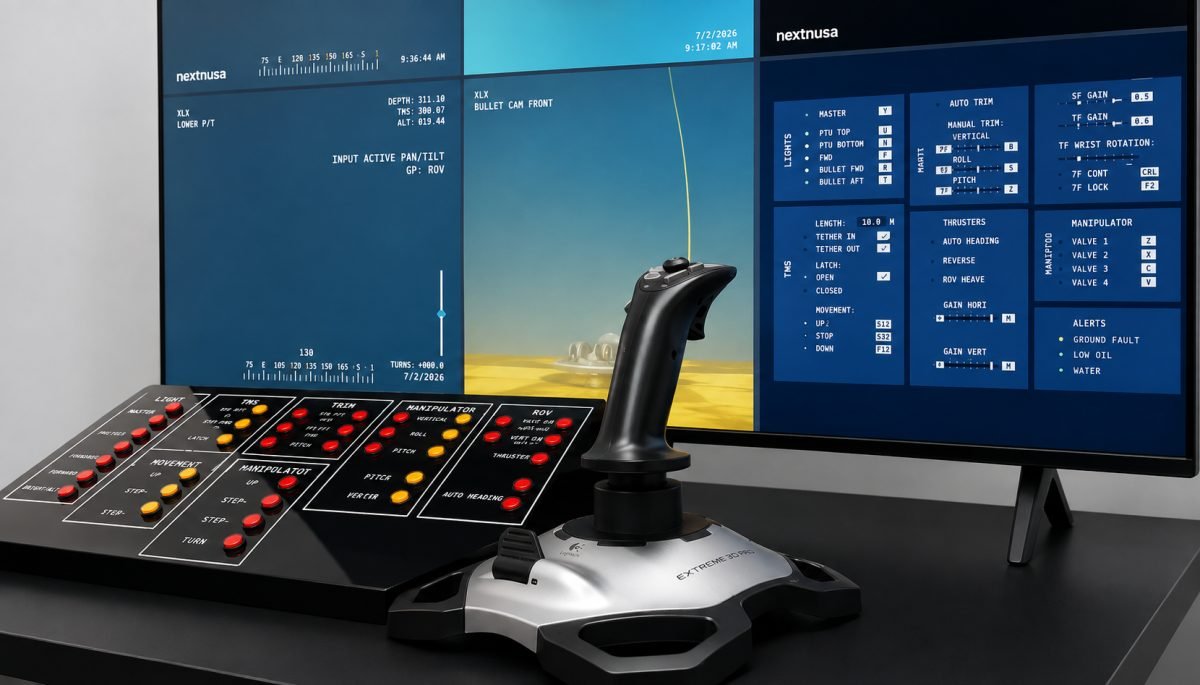
NextNusa ROV control console with joystick, button panel, and HUD monitor

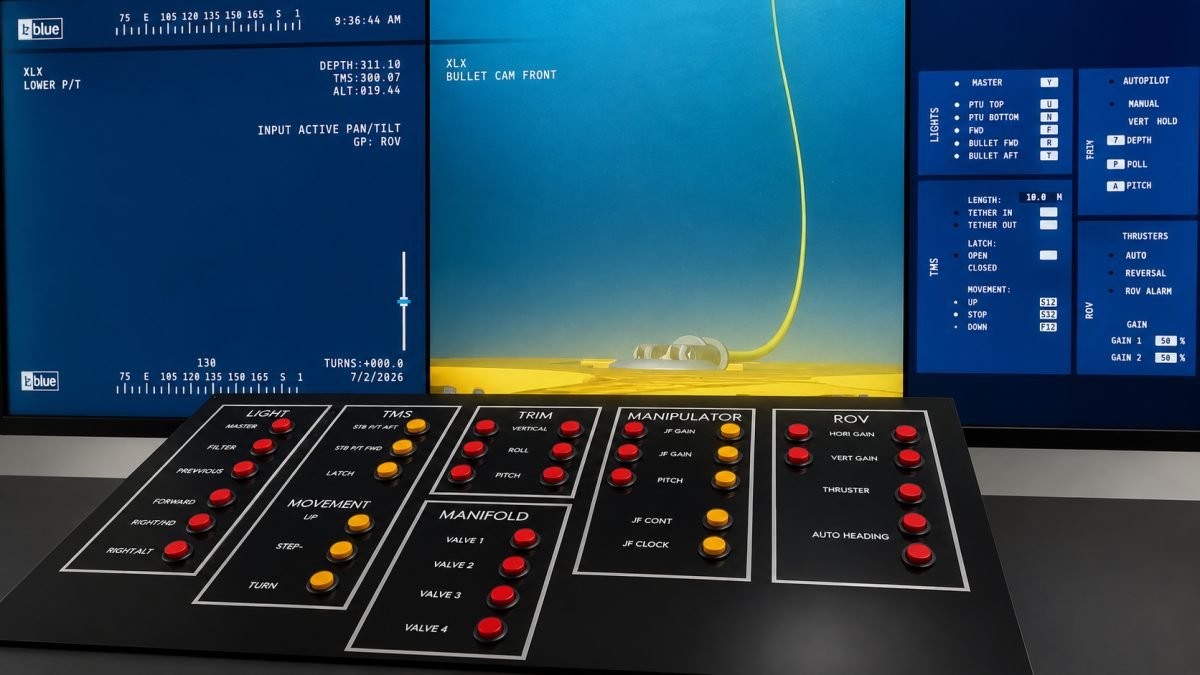
NextNusa physical ROV control panel with Light, TMS, Trim, Manifold, Manipulator, and ROV groups

Control Groups on the Panel

The physical control panel is divided into several functional groups, each with its own status indicator lights, so participants can monitor each system's condition while operating it.

Light
Lighting Control

Controls the ROV's lights (Master, PTU Top/Bottom, Forward, Bullet Fwd/Aft) according to visibility needs during piloting.

TMS
Tether Management System

Controls the latch and the TMS's up/down movement, including open/closed status and tether movement.

Trim
ROV Stability

Adjusts vertical trim, roll, and pitch to keep the ROV stable while maneuvering underwater.

Manifold
Valve Control

Operates valves 1–4 on the ROV's supporting hydraulic system.

Manipulator
Manipulator Gain & Functions

Adjusts manipulator gain and functions (JF Gain, JF Cont, JF Clock, Pitch), working in tandem with the physical manipulator controller.

ROV
Thruster & Heading

Adjusts thruster gain (horizontal & vertical) and auto heading to support precise navigation.


Manipulator Controller — 7-Function (7F)

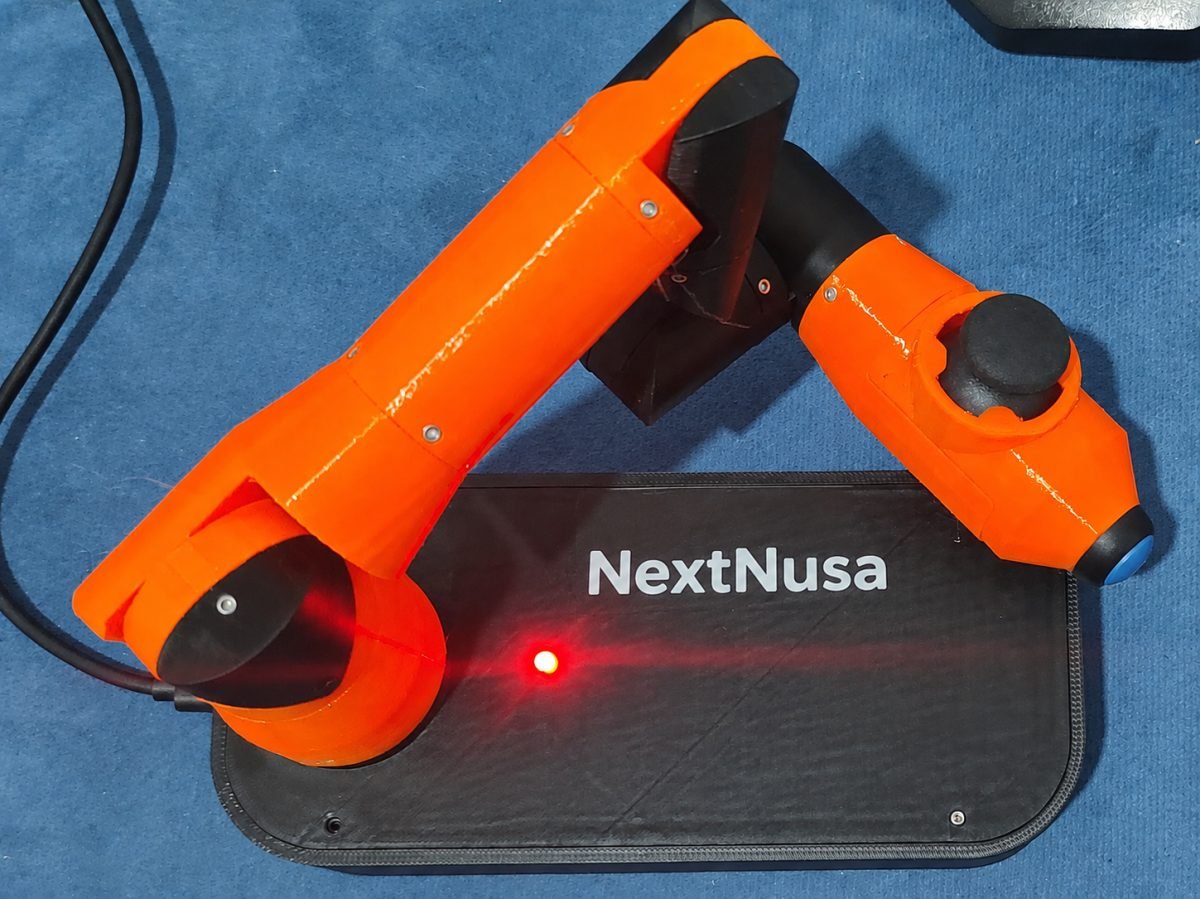
Beyond the gain panel on the main console, NextNusa uses a physical manipulator controller shaped as a jointed arm resembling the actual ROV manipulator. Participants move this control arm to directly replicate the ROV manipulator's movement — a method called 7-Function (7F), matching the "7F CONT" and "7F LOCK" indicators shown on the HUD.

This method trains participants' hand-eye coordination for tasks such as valve intervention and object handling, as covered in Module 2 (Hydraulic & Manipulator) and assessed as one aspect of the Piloting Skills rubric.

NextNusa 7-Function manipulator controller shaped as a jointed arm

HUD & Telemetry Display

The HUD monitor displays ROV status and telemetry in real time, helping participants read system conditions before and during piloting.

Telemetry
Depth, Altitude & TMS Position

Displays depth, altitude above the seabed, and TMS position in real time.

Camera
Live Camera Feed

Shows a live camera feed (e.g. Bullet Cam Front) to support visual observation during piloting.

Tether
Tether Length & Movement

Monitors the length of tether paid out and its movement status (up/down/stop).

System
Autopilot & Alerts

Displays autopilot mode (manual, vertical hold) and system alerts such as ground fault, low oil, and water.

View Full Program Structure Ask Admin About Schedule